Give each code a clear purpose
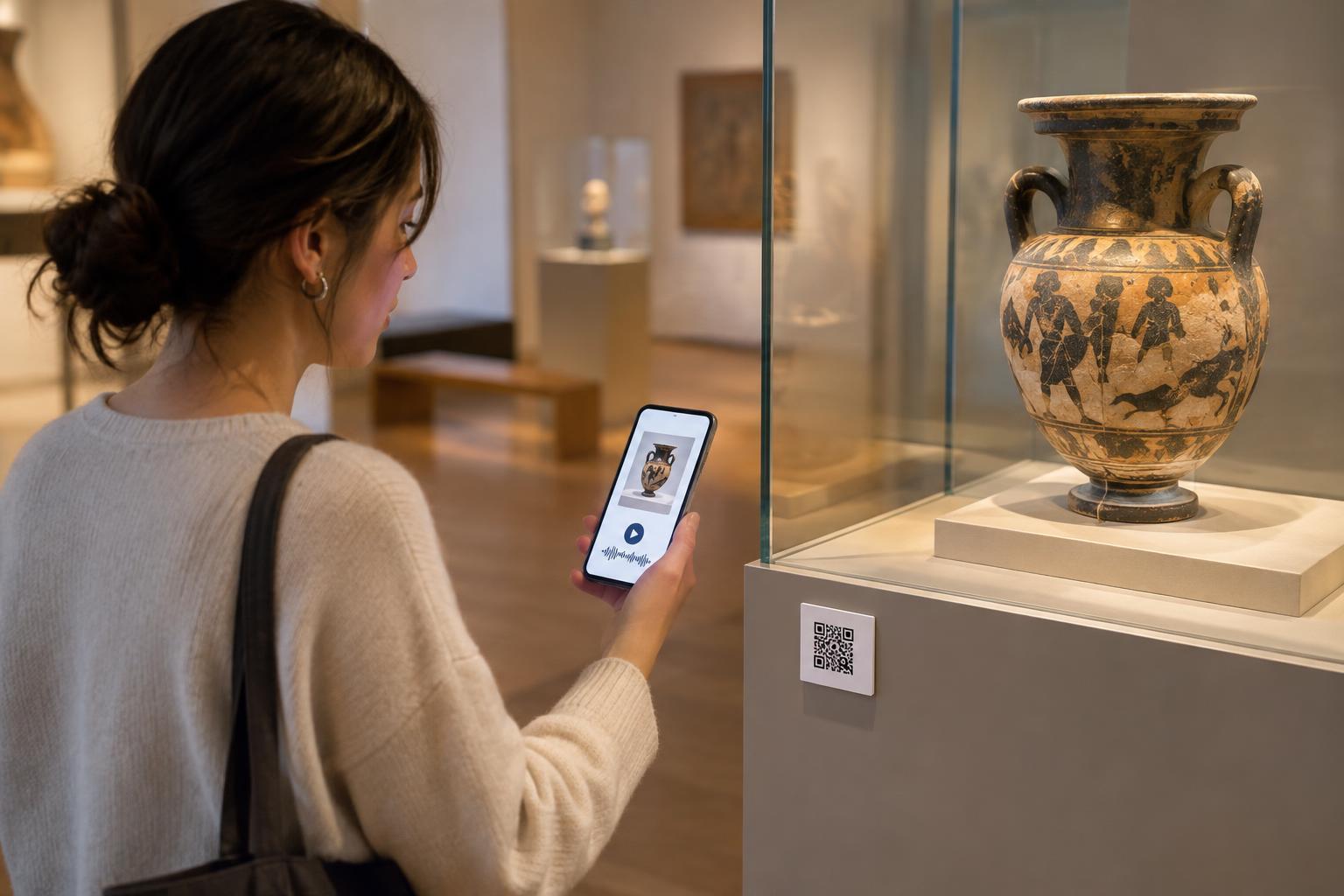
An exhibit label has limited space. It may need to identify an object, explain its significance and leave room for visitors to look closely. A QR code can provide an optional second layer of context: a longer object story, a short audio description, a curator’s explanation or related items elsewhere in the collection. It works best as an invitation to explore, not as a replacement for the information a visitor needs to understand what is in front of them.
Choose the destination before designing the sign. For a single object, send visitors to a page about that object rather than a general museum homepage. For a gallery-wide introduction, a shared page may make more sense. Text beside the code should set an expectation, such as “Scan for a two-minute audio story” or “Explore how this object was made.” A specific promise helps visitors decide whether reaching for a phone is worthwhile.
Build content for a museum visit, not a desktop session
Visitors often scan while standing, moving with a group or managing children and bags. Put the promised information near the top of the destination page, use readable text and keep navigation simple. A short introduction can answer the immediate question; headings can then offer deeper detail for people who want it. Images can highlight details that are hard to see in a case, but they should add to the explanation rather than repeat it.
Different formats can support different ways of engaging with an exhibit. A transcript makes an audio story usable without headphones. Captions help with video in a quiet gallery or a noisy entrance hall. Translations can offer another route into the same core information. If a page includes archival material or an interpretation that may change, identify it clearly so visitors can distinguish the object’s description from commentary about it.
Consider connections between exhibits, too. A page about a ceramic vessel might point to a nearby display about its materials or use. Keep these paths selective: the goal is to help visitors notice meaningful relationships, not send them through an endless list of links.
Place and test codes in the gallery
A code that scans easily at a desk may be awkward beside an exhibit. Give it enough printed space and a clear margin around it. Use strong contrast, avoid glossy surfaces that reflect gallery lights, and place it where visitors can approach without blocking a narrow route. Avoid putting essential codes so low, high or close to a display case that some visitors cannot comfortably reach or aim a phone at them.
Test a printed sample in its intended location with several phones, from the distances visitors are likely to use. Check it under the gallery’s normal lighting and from plausible angles. Also follow the link and review the page on a phone. A successful scan is only the first step; the destination must load and make sense in that setting. If the printed label will be difficult to replace, plan how to keep its destination working when website pages are updated.
Make the experience optional and accessible
Not everyone has a smartphone, wants to use mobile data or can operate a camera comfortably. Keep the exhibit’s main identification and essential context visible without a scan. Where practical, offer another way to access longer material, such as a printed guide, an on-site device or a short, clearly printed web address. These alternatives also help when a visitor’s phone battery is low or reception is unreliable.
Accessibility applies to the linked content as well as the sign. Use meaningful page headings, text alternatives for informative images and controls that work without precise tapping. Provide transcripts for audio and captions for video. The words beside a QR code should explain what it opens; “Scan me” alone gives little useful information. If the destination requires sound, a login or a substantial download, tell visitors before they scan.
Maintain trust after installation
Visitors should be able to tell that a QR code belongs to the museum. Integrate it into the exhibit label or other established signage, rather than relying on an unexplained sticker. Check physical signs for damage or stickers placed over them, and check links periodically for broken pages or unexpected redirects. This matters because a code hides its destination until a device reads it.
Treat privacy as part of the visitor experience. A page providing exhibit information generally need not ask for personal details. If the museum offers optional features such as saving a tour or signing up for updates, explain that choice separately from access to the exhibit content. A well-maintained QR program gives visitors useful context while letting them choose how much technology they want to bring into their visit.