Why fabric changes a QR code
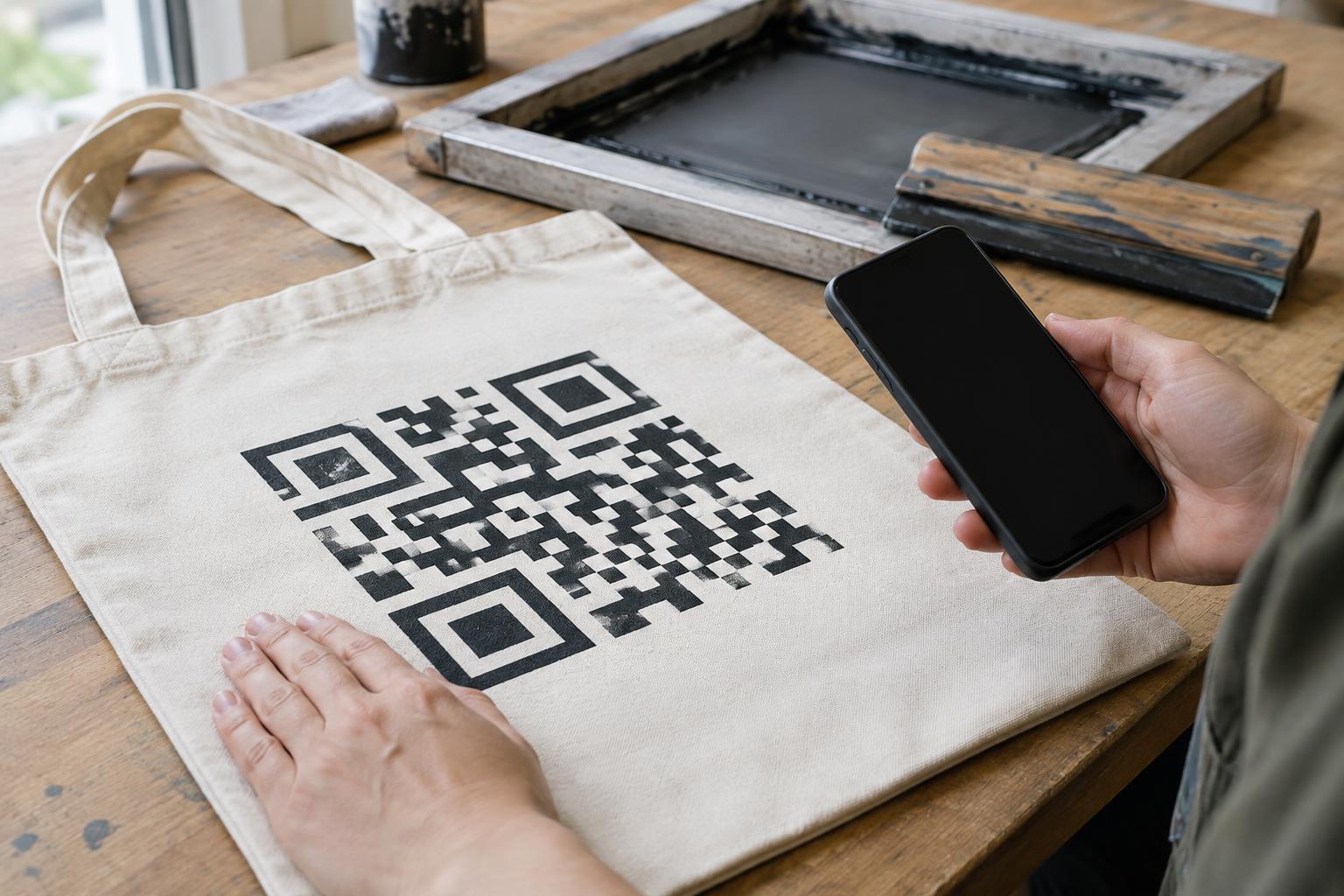
A QR code depends on a clear pattern of dark and light squares. Screen printing puts that pattern onto a surface that can absorb ink, stretch and move. A code that scans easily on paper may become unreliable on a T-shirt, tote bag or fabric label, even when both prints use the same artwork.
Ink spread is one reason. As ink passes through the screen and settles into the fabric, small dark squares may grow and narrow light gaps may close. The weave can also interrupt fine details, while folds or seams can distort the overall shape. These effects vary with the fabric, ink and printing process, so a digital preview cannot confirm that the finished item will scan.
Prepare artwork that can tolerate printing
Start with a simple destination and generate the QR artwork before deciding its final print size. A code carrying a long string of text generally needs more detail than one carrying a short web address. More detail means smaller features at the same printed size, leaving less room for ink spread. If you control the destination, keeping the encoded content short can make the design easier to print.
Use a solid, high-contrast color combination and preserve the blank border, known as the quiet zone, around the entire code. Avoid placing lettering, decorative marks or a garment graphic inside that border. Do not round off squares, distress the pattern or add a prominent logo merely to match the surrounding design: each alteration can reduce the margin for printing imperfections. If branding is important, put it beside the code instead.
Provide the printer with crisp artwork rather than a screenshot that may have been resized or compressed. Discuss the smallest gaps and squares in the design, not just the overall dimensions. If those details are too fine for the chosen fabric and screen-printing setup, enlarge the code or simplify the encoded content before production.
Match the print approach to the fabric
A smooth, stable area gives the print a better chance than a coarse, heavily textured or stretchy one. Thick seams, ribbing and open weaves can break up the square pattern. A dense fabric may hold edges more consistently than a loose weave, but the result still depends on how the ink is applied and cured.
Ask the printer to evaluate the actual garment or fabric, ink and screen setup together. A heavier ink deposit may cover texture but can also fill the light spaces between squares. A lighter deposit may keep the edges distinct but leave an uneven image. On dark fabric, a light printed background may be needed to create contrast; check that it forms a sufficiently even area behind both the code and its quiet zone. There is no single artwork setting that guarantees success across all fabrics.
Choose a place people can scan
Placement matters as much as the artwork. A code across a curved chest, near a side seam or on a part of a bag that creases in use may be difficult to hold flat. Look for an area people can reach and present to a phone without stretching the fabric. A broad, flat panel on a tote bag or a dedicated patch on a garment may be more practical than a small code tucked into a decorative print.
Consider how the item will be used. Someone wearing a shirt cannot easily scan a code on their own back, and a bag may be full or folded when a customer encounters it. If the code is meant to provide instructions or product information, add a short printed description of its purpose and consider another way to access the same information. The printed words remain useful when scanning is inconvenient or unavailable.
Test the finished print, then test it again
Before committing to a full run, request a sample made with the intended fabric, ink colors, artwork size and print process. Scan the finished item with more than one phone if available, at comfortable distances and under ordinary indoor lighting. Check the code while the fabric is relaxed and while it is being held as a person would hold it to scan. A successful scan of the file on a monitor is not a substitute.
If the item will be washed, stretched or handled repeatedly, check a sample after that treatment as well. Look for cracked ink, fading, warped squares or gaps that have filled in. If scanning is inconsistent, first try increasing the code’s size, improving contrast, moving it to a flatter area or revisiting the print deposit. Keep the final approved sample as a reference for later production rather than assuming the artwork alone captures every detail that made the print work.