Two patterns with different purposes
A QR code and a Data Matrix code can look similar at a glance: both are two-dimensional barcodes made from small dark and light cells. A scanner reads the arrangement of those cells to recover encoded information. That information might be a web address, an identifier or another short piece of data. Neither pattern, by itself, tells you whether the destination or content is trustworthy.
The difference matters when you need to identify a code on packaging, prepare artwork for printing or choose a device to scan it. QR codes are familiar on signs, menus and other customer-facing materials. Data Matrix codes often appear on small product labels and parts. These are common uses, not rules: what a code contains and how it is used depend on the organization that created it.
Look for the corner markers
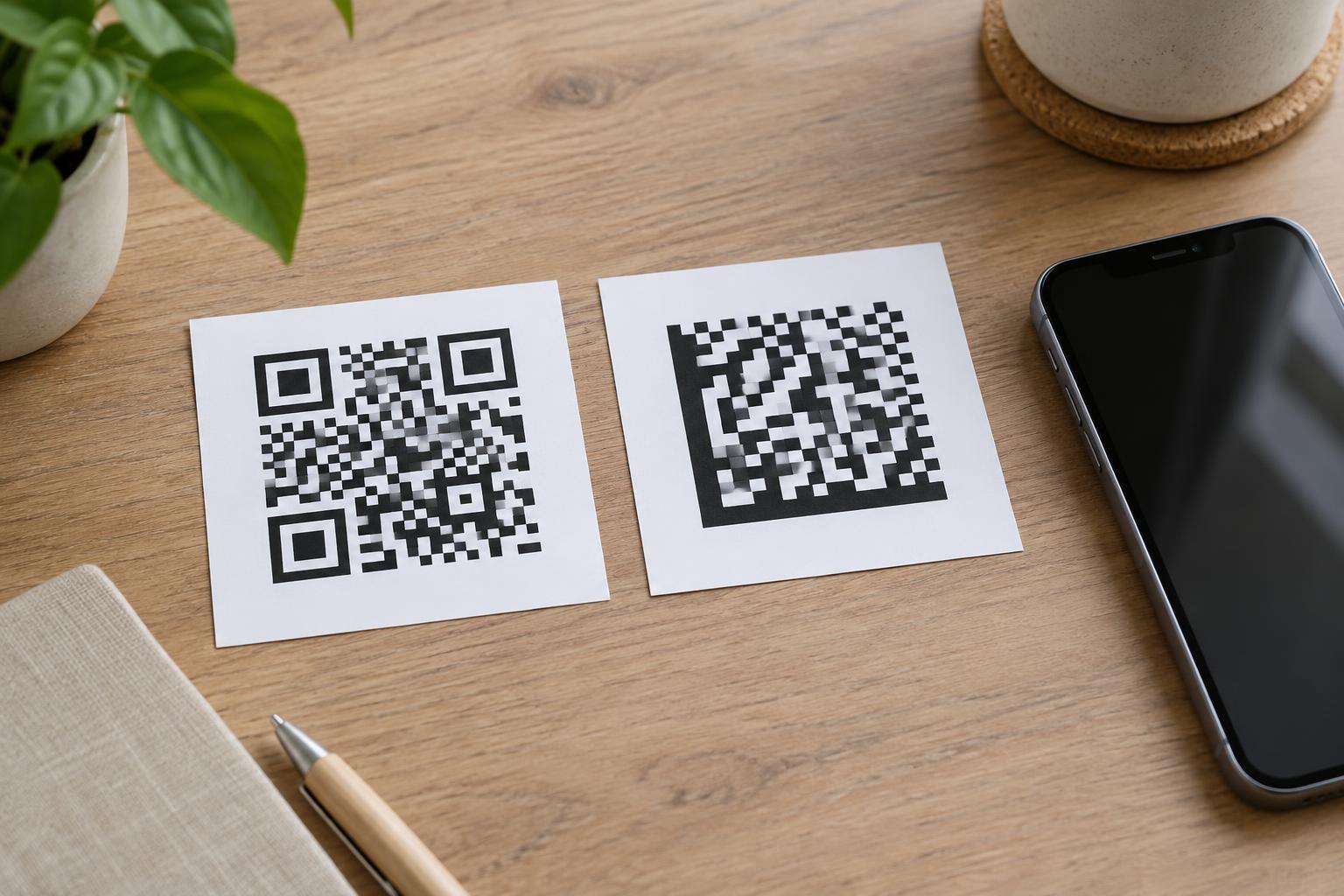
The quickest way to recognize a typical QR code is to look for three prominent square markers. They sit in three corners and resemble squares nested inside squares. The remaining corner does not have a matching large marker. Smaller marks elsewhere in the pattern can help a scanner interpret the code, but the three large corner squares are the most useful visual clue.
A Data Matrix code has a different border. Two adjoining sides form a solid, dark L shape. The other two sides usually alternate between dark and light cells. Rather than looking for three large corner squares, trace the edges: one continuous L and two patterned sides strongly suggest Data Matrix. The code may be square or rectangular.
If the print is tiny, damaged or partly covered, visual identification may be uncertain. Enlarging a clear photo can help, but avoid guessing from overall shape alone. A square block of cells is not necessarily a QR code.
What scanning actually tells you
Recognizing the format is only the first step. Your phone camera or scanning app must also support that format. A camera that readily opens QR codes may not recognize a Data Matrix code, or it may require a different app or setting. If a code does not scan, check the device’s supported formats before assuming the print is faulty.
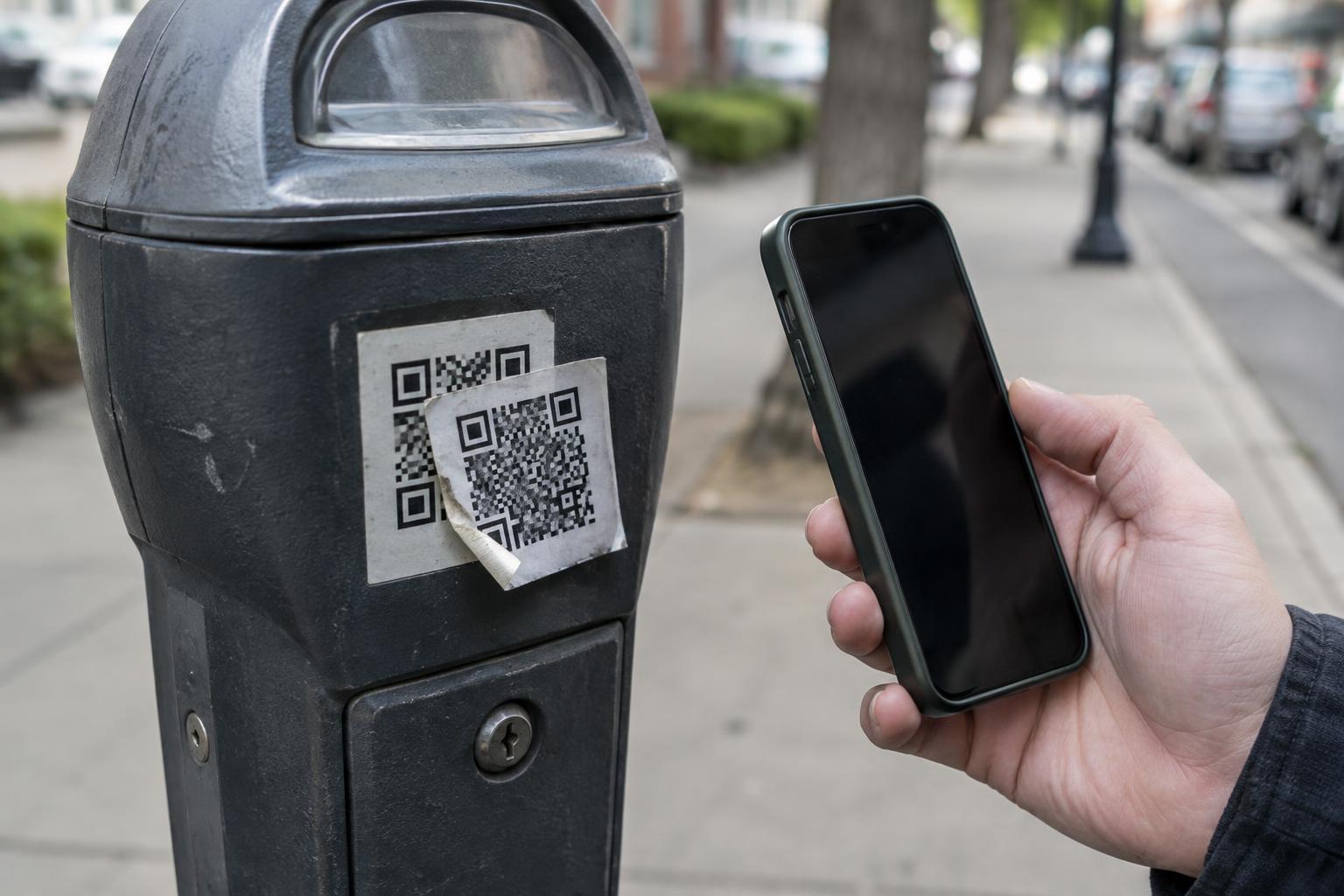
Successful scanning tells you what data the code contains; it does not verify who placed the code there. A QR code might open a website, display text or provide contact details. A Data Matrix code might return a product identifier rather than a consumer-friendly page. If a scan offers to open a link, read the displayed address and consider whether it matches the surrounding context before continuing. Be especially cautious with codes placed over another label or attached as an unexpected sticker.
Choosing a format for a real-world task
For a customer-facing sign intended to send visitors to a webpage, a QR code is often the practical choice because many people already know how to scan one with a phone. For a small component or product label read by a specified workplace scanner, Data Matrix may be a suitable choice. Start with the people and equipment that must read the code, then confirm that the chosen format can hold the required information.
Whichever format you use, test the finished code rather than relying only on an image preview. Print size, surface texture, reflections and poor contrast can all make scanning harder. Leave clear space around the pattern, keep its cells sharp and test it at the distance and angle people will actually use. If it will be printed on curved packaging, test it on that packaging.
A code should not be the only way to access essential information. If you are asking customers to visit a page, include a readable web address or clear alternative instructions nearby. That helps people whose devices cannot scan the code and gives everyone another way to check where it is meant to lead.