Understand what the logo will cover
A QR code is not simply a decorative grid. Its dark and light squares encode information and help a scanner identify the pattern. The three large squares near the corners are finder patterns: they help a phone locate and orient the code. Other features, including smaller alignment patterns in some codes, also support reliable reading. The empty border around the code, called the quiet zone, separates it from nearby text and artwork.
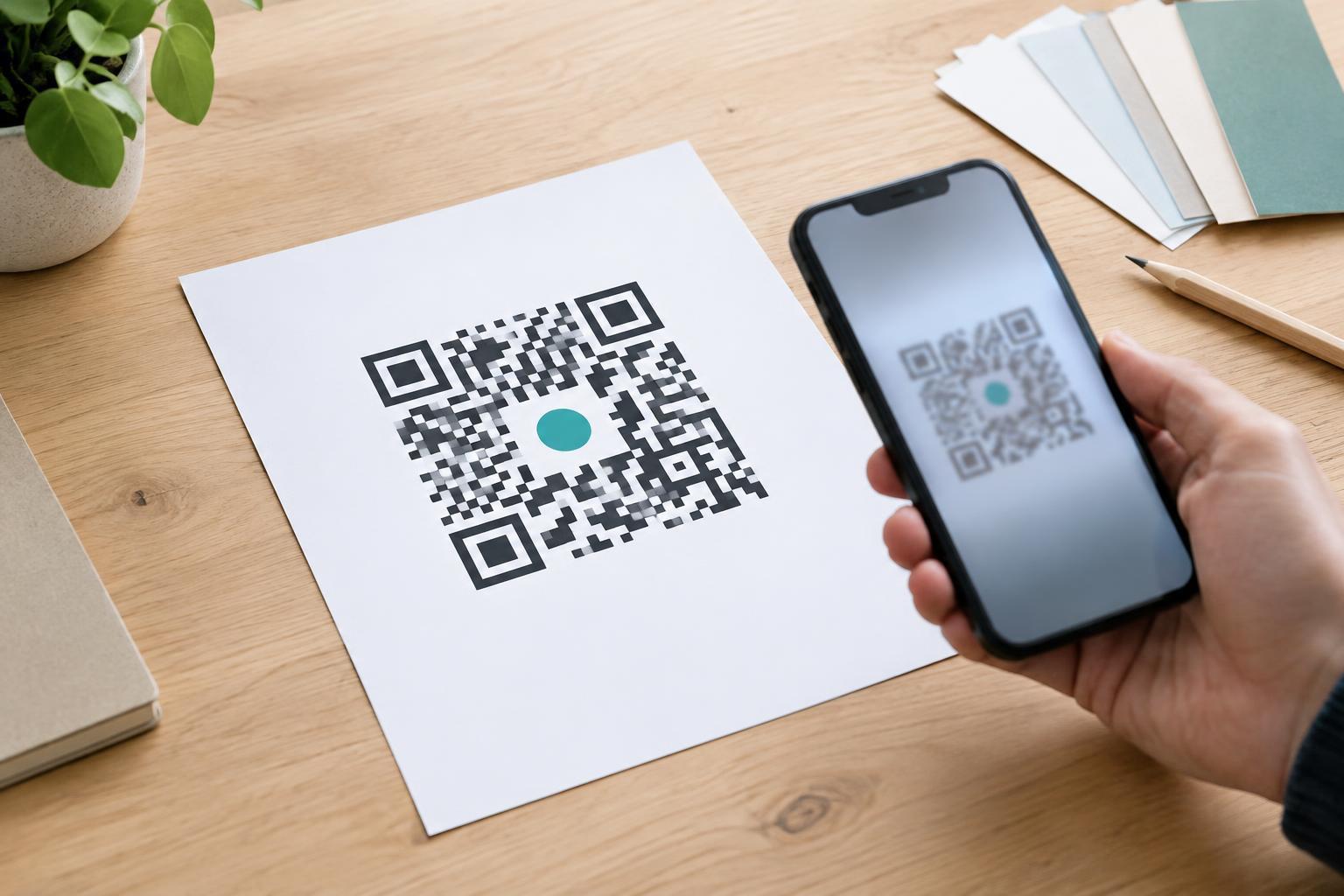
A logo placed over the middle inevitably hides some squares. QR codes can often tolerate a degree of damage because they include error correction, but that is not permission to cover any part of the pattern. The amount of disruption a particular code can survive depends on its content, size, error-correction setting and final printed appearance. Treat a centered logo as a small, deliberate interruption, not as a free area in the design.
Keep the logo modest and away from key features
Place the logo near the center rather than over a corner finder pattern. Check the exact code you plan to use: a dense code may contain important features closer to the center than a simpler one. Keep the logo and any background shape around it as small as the design allows. If the logo needs a wide badge or long brand name to be legible, put that information beside the QR code instead.
A compact logo on a simple, solid background is usually easier to test than a detailed illustration with fine lines. Leave a clear edge between the logo badge and the surrounding modules so the artwork does not create ambiguous half-covered squares. Do not add decorative marks that resemble finder patterns, and do not extend the logo into the quiet zone. The space outside the grid matters just as much as the placement inside it.
Design for contrast and the real print surface
Start with dark modules on a light background. A phone needs to distinguish the two reliably, so subtle color differences, gradients and transparent overlays can make a branded code harder to scan. If you add a light badge behind the logo, make sure it stays within the small central area you intend to cover. Avoid placing the code over a photograph or texture that competes with its edges.
Consider where people will encounter the printed piece. A code that works on a bright monitor may be less dependable when reduced for a product label, printed on textured paper or viewed through glare on a glossy menu. Do not stretch the code to fit a layout; preserve its square proportions and sharp module edges. Give the quiet zone room even when the code sits among headings, borders or other graphics. If space is tight, simplify the surrounding layout before shrinking the code further.
Test the finished artwork, not just the original code
Generate the QR code for its intended destination, then add the logo in the design file and test that exact version. Check it on more than one phone if possible, including with the camera apps people are likely to use. Test from a comfortable viewing distance and under ordinary lighting, rather than relying on a close-up scan in ideal conditions. Confirm that the scan opens or displays the intended destination; a successful camera response alone is not enough.
For print work, make a proof at the actual size and on a surface similar to the final material. Test the proof after printing, because ink spread, paper texture and reduced contrast may change the result. If scanning is inconsistent, first reduce the logo or its badge. Then consider increasing the printed code size, improving contrast or moving it to a flatter, better-lit area. Repeat the test after every change.
Give people another way to reach the content
Even a well-tested code will not work for everyone in every setting. Someone may have an older camera, limited connectivity or a device they cannot comfortably hold up to a sign. Where practical, print a short, readable destination or another clear way to access the same information near the code. Add a brief label explaining what a scan will do, such as “View the menu,” so people can decide whether to use it.
The best branded QR code is not the one with the largest logo. It is the one that remains easy to recognize, scan and understand in the place it will be used. Keep the pattern’s key features clear, protect its quiet zone and let a real-size print test settle any design doubts.